Chapter 12: Operations & Maintenance
Ongoing operational procedures, maintenance schedules, KPI monitoring, and incident response runbooks
12.1 Operations Dashboard and KPIs
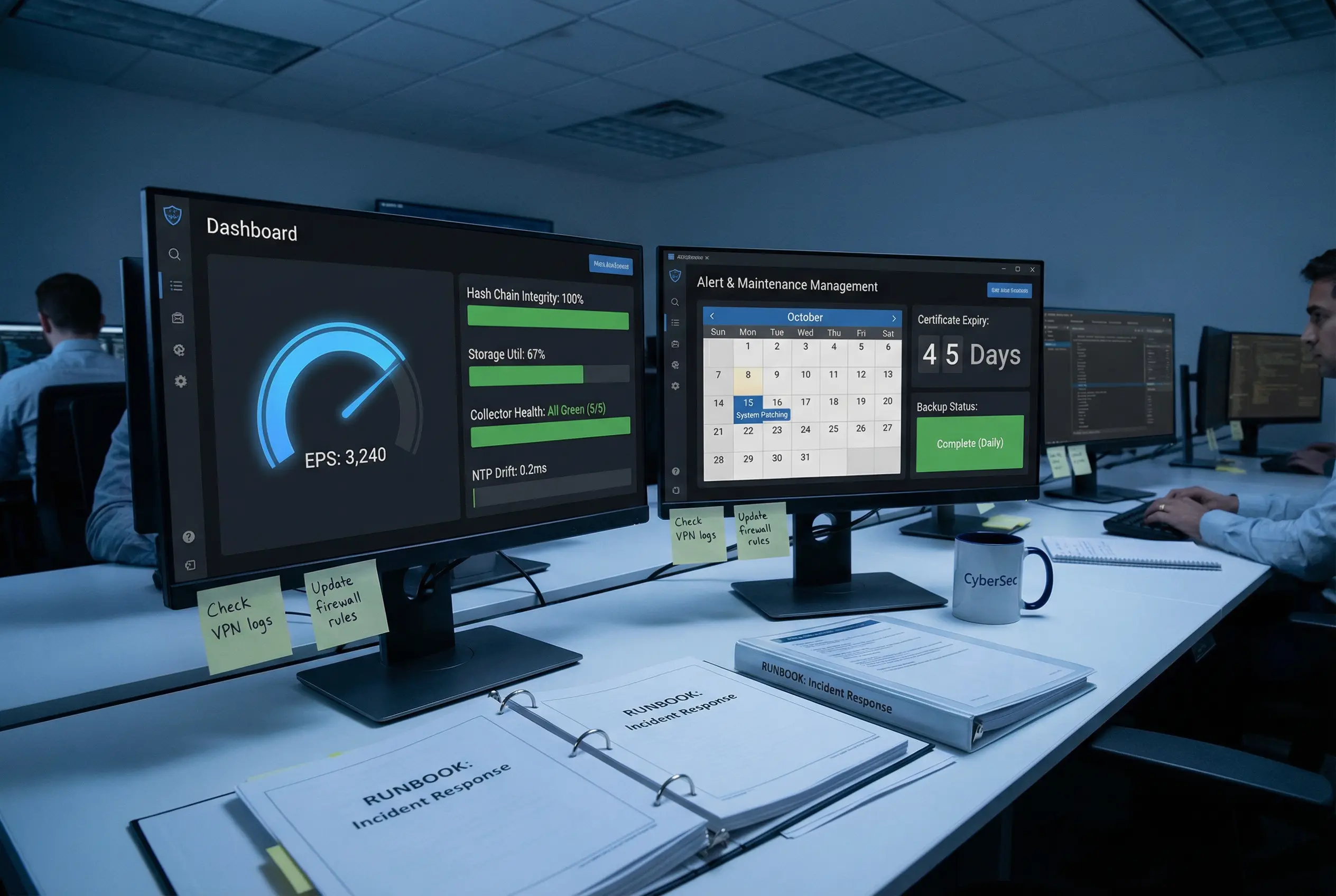
Effective operations of a log security system requires continuous monitoring of a set of key performance indicators (KPIs) that reflect the health of the evidence chain. The operations dashboard shown below represents the standard monitoring view used by the security operations team, displaying real-time EPS, hash chain integrity, storage utilization, and certificate expiry status alongside the maintenance calendar and backup status.
12.2 Maintenance Schedule
The maintenance schedule defines the recurring operational tasks required to maintain the integrity, availability, and compliance posture of the log security system. Tasks are organized by frequency and must be documented in the maintenance log with the name of the operator, the date and time, and the outcome of each task.
| Task | Frequency | Responsible Role | Documentation Required | Compliance Relevance |
|---|---|---|---|---|
| Review integrity alerts and EPS metrics | Daily | Security Analyst | Alert review log | PCI DSS 10.5, SOX |
| Verify NTP synchronization status | Daily | Operations | NTP status report | PCI DSS 10.6 |
| Check storage utilization and buffer levels | Daily | Operations | Capacity log | All frameworks |
| Verify backup completion status | Daily | Operations | Backup log | All frameworks |
| Review access logs for anomalies | Weekly | Security Analyst | Access review report | SOX, HIPAA, PCI DSS |
| Run hash chain integrity verification scan | Weekly | Security Analyst | Integrity scan report | All frameworks |
| Check certificate expiry dates | Weekly | Operations | Certificate inventory | All frameworks |
| Review and update RBAC role assignments | Monthly | Security Admin | Access review sign-off | SOX, PCI DSS, HIPAA |
| Test collector failover procedure | Monthly | Operations | Failover test report | All frameworks |
| Capacity planning review | Monthly | Operations + Management | Capacity plan update | All frameworks |
| Renew TLS certificates (90-day cycle) | Quarterly | Operations | Certificate renewal log | All frameworks |
| Full penetration test of log security system | Annual | External Security Firm | Penetration test report | PCI DSS, SOX, NIST |
| HSM key rotation ceremony | Annual | Security Admin + Witness | Key ceremony minutes | All frameworks |
| Full disaster recovery test | Annual | Operations + Management | DR test report | SOX, HIPAA, NIST |
| Replace UPS batteries | Every 3–5 years | Facilities | Maintenance record | Availability SLA |
12.3 Incident Response Runbooks
The following runbooks provide step-by-step guidance for the most critical incident scenarios that can affect the evidence chain. Each runbook must be executed by the designated responsible role and documented in the incident management system. All runbooks are stored in printed form in the operations area for use during network outages.
Runbook 1: Hash Chain Integrity Failure
Trigger: Integrity monitoring alert — hash chain gap or mismatch detected. Immediate actions: (1) Do not modify any storage. (2) Preserve the alert with timestamp. (3) Identify the affected segment range from the alert. (4) Retrieve the segment from the vault and compute its hash manually using sha256sum. (5) Compare with the stored hash in the manifest. (6) If mismatch confirmed, escalate to CISO and legal counsel immediately. (7) Preserve all evidence for forensic investigation. (8) Document all actions with timestamps in the incident log.
Runbook 2: Collector Failure — Log Gap Risk
Trigger: Collector health alert — primary collector offline. Immediate actions: (1) Verify that the secondary collector has taken over (check EPS on secondary). (2) Check the primary collector's buffer disk for unsent events. (3) If buffer is intact, restore primary collector and trigger buffer replay. (4) If buffer is lost, document the gap with start and end timestamps. (5) Notify compliance team of the gap. (6) Investigate root cause of collector failure. (7) Implement corrective action to prevent recurrence.
Runbook 3: HSM Failure — Signing Unavailable
Trigger: HSM health alert — signing operations failing. Immediate actions: (1) Verify HSM physical connectivity and power. (2) Restart HSM service. (3) If HSM is unresponsive, activate the backup HSM token using the approved procedure. (4) Notify the security officer and initiate the HSM replacement procedure. (5) Document all events in the incident log. (6) Note: log ingestion continues during HSM failure, but verification manifests are not signed until HSM is restored. Document this gap for compliance purposes.
Runbook 4: Storage Capacity Alert — >85% Utilization
Trigger: Storage capacity alert — vault utilization exceeds 85%. Immediate actions: (1) Verify that no WORM-locked segments can be deleted. (2) Identify segments that have passed their retention period and can be archived or deleted. (3) If no segments are eligible for deletion, immediately provision additional storage capacity. (4) Update the capacity plan with the new storage requirements. (5) Review the storage sizing calculation (Chapter 9 Calculator 1) to identify the root cause of the capacity shortfall.
Runbook 5: Unauthorized Access Attempt to Vault
Trigger: Access control alert — unauthorized access attempt to vault storage or admin functions. Immediate actions: (1) Preserve the access log entry with full details. (2) Identify the source account and IP address. (3) Immediately disable the source account pending investigation. (4) Notify the CISO and initiate the security incident response procedure. (5) Review all access events from the source account for the past 30 days. (6) Verify that no vault data was accessed or modified. (7) Document all findings in the incident report.